
Your keys, configs,
and resources.
Yours alone.
Bring the keys, passwords, database configs, and SSH credentials scattered across projects into one local encrypted Vault. This is sensitive data — encrypted before it leaves your device; the service never sees plaintext.
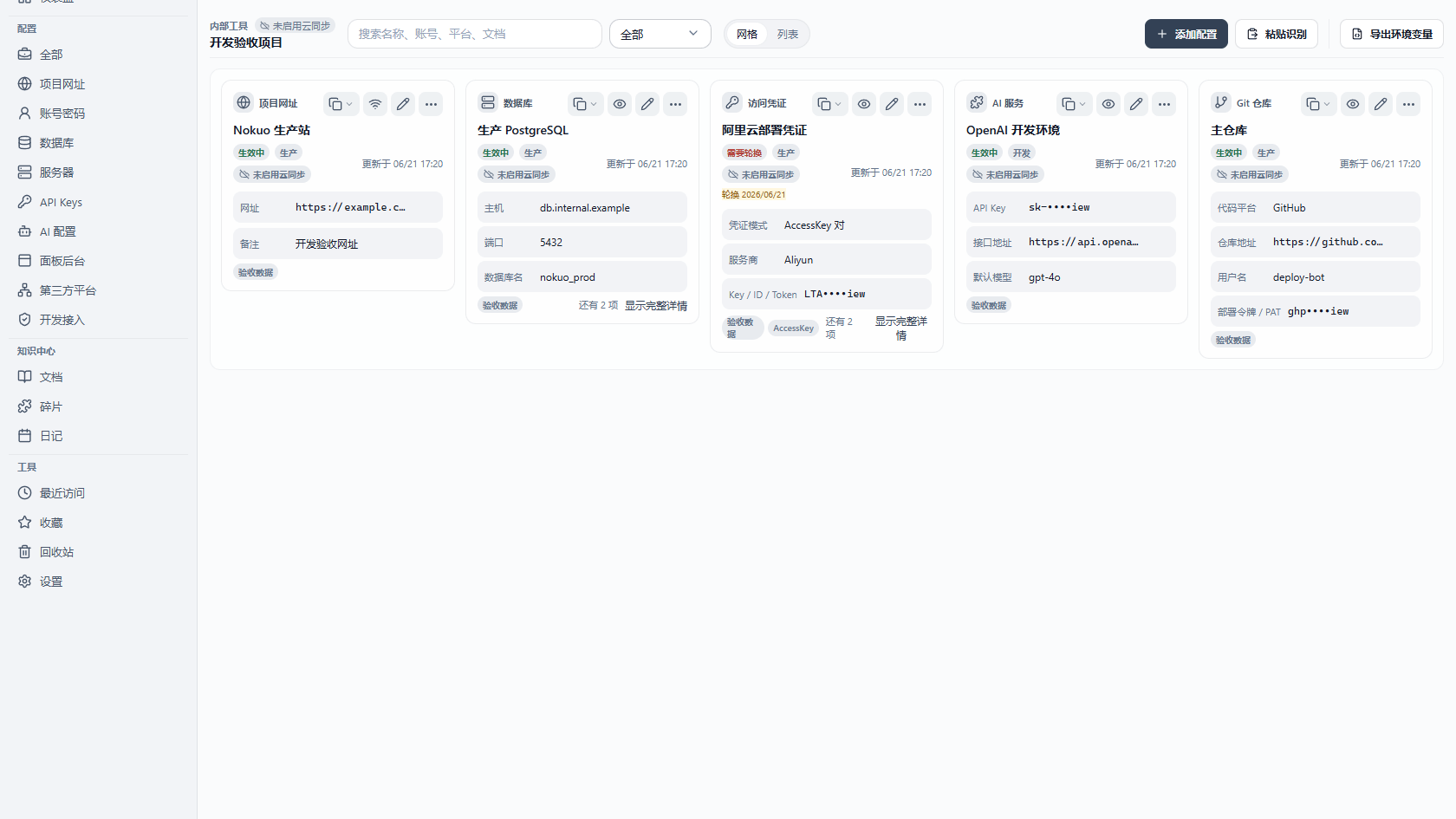
Sensitive data is scattered
Your keys are scattered and unencrypted
API keys in .env, database passwords in chat, SSH keys in old project folders — all plaintext, all sensitive.
What fits
Bring sensitive resources into one encrypted Vault
Keys, configs, connection strings, SSH, code snippets — all sensitive data, all in one local encrypted workspace.
API credentials
API keys, tokens, OAuth, webhooks, service accounts
Passwords
Web, app, and email accounts plus recovery codes
Databases
DSN, connection params, pooling, Redis / MQ
SSH / servers
Private keys, server logins, bastions, host fingerprints
Cloud / infra
AWS, GCP, Azure, kubeconfig, IaC, object storage
CI / CD
Actions, GitLab, publish tokens, registry credentials
Built for developers
Not just stored — built for how developers work
Password managers stuff sensitive resources into a 'secure note' text box. Nokuo's entry, import, export, and copy are built for developers.
1. Structured entry
API keys have key/secret/expiry, databases have host/port/db. Enter, search, and copy by field — not a blob of text.
2. Bulk import
Import .env, JSON, or CSV, or migrate from another password manager. Paste a config block and it auto-parses.
3. Per-project export
Export as .env, JSON, or dotenv for CI or deploy scripts. Export a whole group encrypted for handoff.
4. Copy by field
Copy just the password, just the DSN, just the private key; or copy as a connection string, or as an env var.
5. Organized for use
Group by project, filter by type, tag, quick search, recent, and resource templates.
Why Nokuo
Why Nokuo
1. Local-first Vault
Sensitive data stays on your device.
2. End-to-end encrypted
Encrypted before sync. Only you hold the keys.
3. Desktop workflow
Create, unlock, organize, back up, and restore in one place.
4. Multi-device sync
Local-sync folders or S3-compatible storage.
Encryption
Sensitive data, clear boundaries
This is sensitive data. Content is encrypted locally; the service only ever sees ciphertext.
1. You create
Sensitive content starts in your local Vault.
2. Argon2id derives the master key
Your master password derives the master key locally via Argon2id.
3. XChaCha20-Poly1305 encrypts
Each resource gets its own key, wrapped by the master key.
4. Sync sends ciphertext only
Sync and backup handle encrypted files only.
5. Only you hold the key
The service stores no plaintext keys, configs, or content.
KDF
Argon2id
Cipher
XChaCha20-Poly1305
Key model
Per-resource key + master-key wrap
Zero-knowledge
Service cannot decrypt
Losing both your master password and recovery key makes content unrecoverable — that's the price of a stronger security boundary. The Nokuo service cannot restore plaintext.
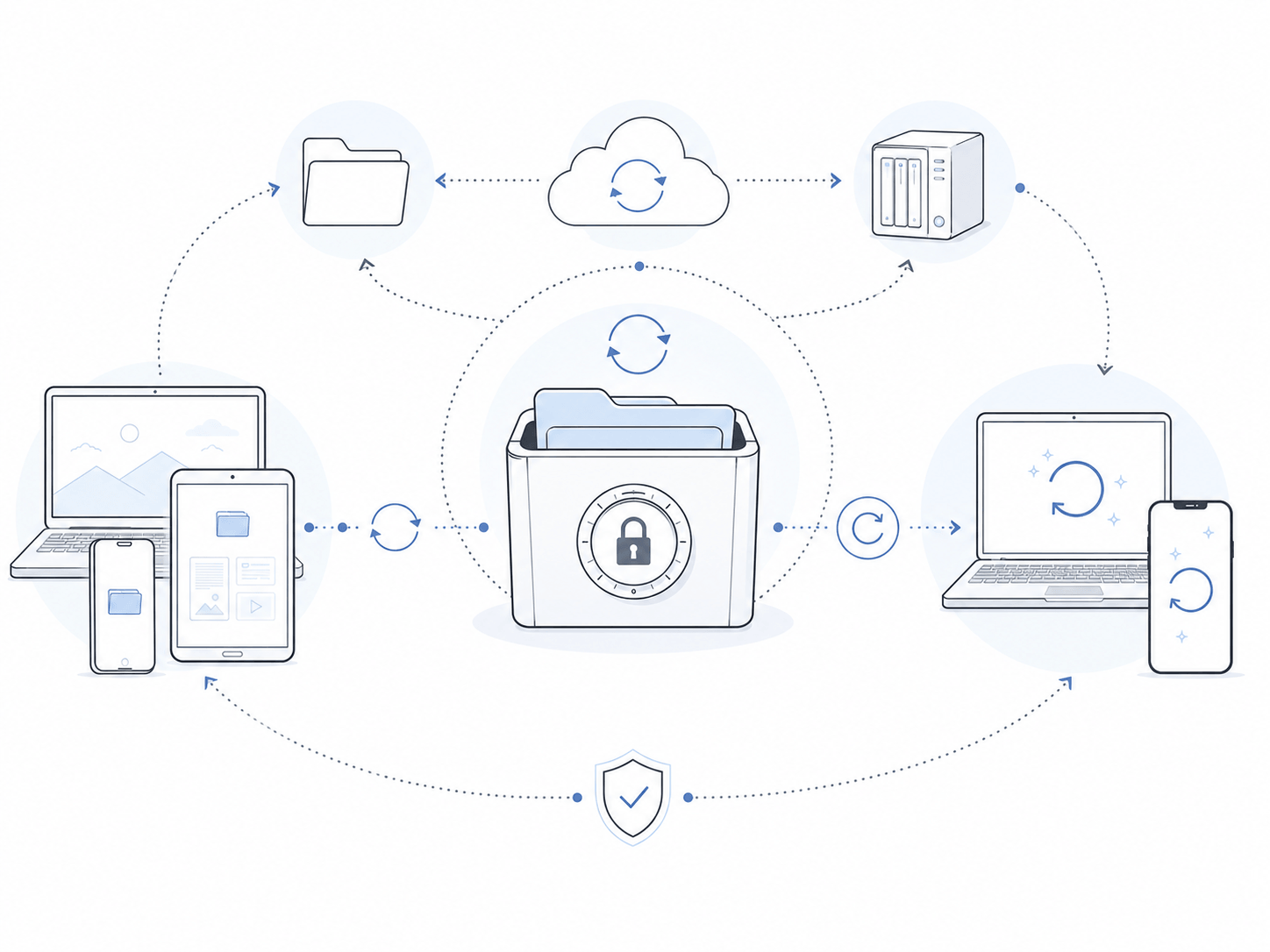
Sync and restore
Sync and restore, on your terms
Local-sync folders or S3-compatible storage. What syncs is always the encrypted Vault file.
iCloud, OneDrive, Syncthing, FnSync, NAS
Cloudflare R2, MinIO, Alibaba OSS, S3
Comparison
How it differs from the tools you know
Built for developers, encrypted for sensitive data.
Built for developers
Structured entry, bulk import, per-project export, copy by field
Encrypted for sensitive data
Local-first encryption, no plaintext stored on the service, only you hold the key
Storage is yours
Local + S3-compatible, no vendor lock-in for sensitive data
Developer workflow
How it fits into coding
Unlock, find, copy, lock when done.
1. Unlock the Vault
Unlock with the master password in the desktop app.
2. Find a resource
Locate by project, type, or tag.
3. Copy and use
Copy a field into the terminal or CI; drop plaintext when done.
4. Lock when done
Lock on leave so secrets don't linger in clipboard or memory.
Bring sensitive data into one place
Start free and put your developer resources in a local encrypted Vault.